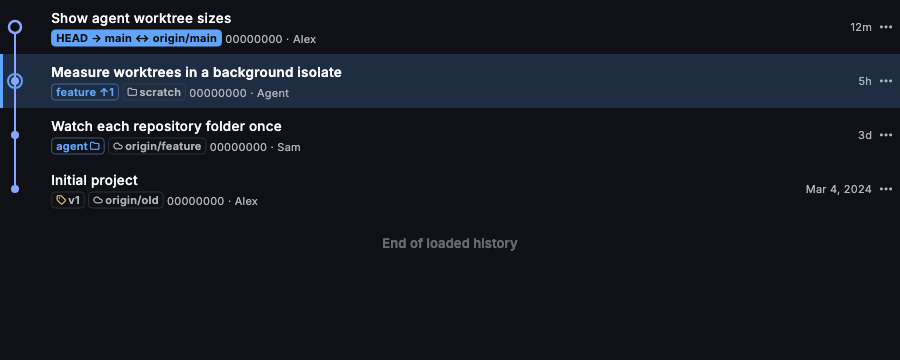
Commit graph
A topological graph across branches, tags and remotes, with filtering, merge edges and badges for other worktrees.
ffgit is a desktop Git client for reviewing real code and image changes across repositories and worktrees, with Claude Code and Codex working right beside you.
ffgit is in beta. Features are evolving, and you may encounter bugs.
Beta · v0.1.0 (92) · Oct 25, 2026macOS 12+ · Apple Silicon & Intel
Signed & notarized by AppleWindows and Linux are in testing
Works with the tools you already use
Image review
PNG, JPEG, WebP and static SVG get a real review: two synchronized panes, editable zoom and a count of the pixels that changed.


Agents
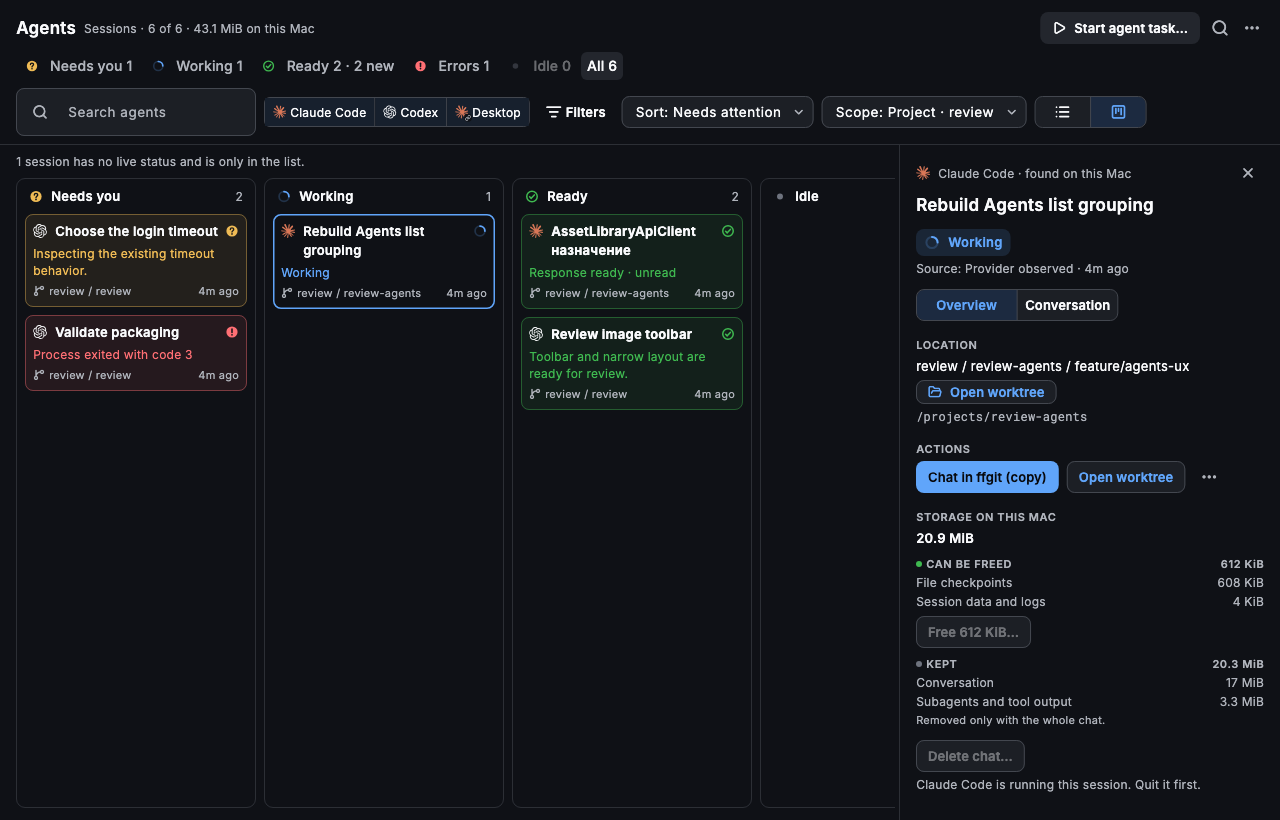
ffgit doesn't resell tokens or ship a model of its own. It starts the Claude Code and Codex you already have, signed in with your own account, and keeps each task in a worktree you can review.
Claude Code
claude · your Claude login
Codex
codex login · your Codex login
Any MCP client
ffgit-mcp · Git tools over MCP
Working, waiting for permission or input, ready for review, or failed — read from each agent's own session files on this Mac.
Questions, ready responses and failures land in Activity: Needs you, Ready for review and Errors.
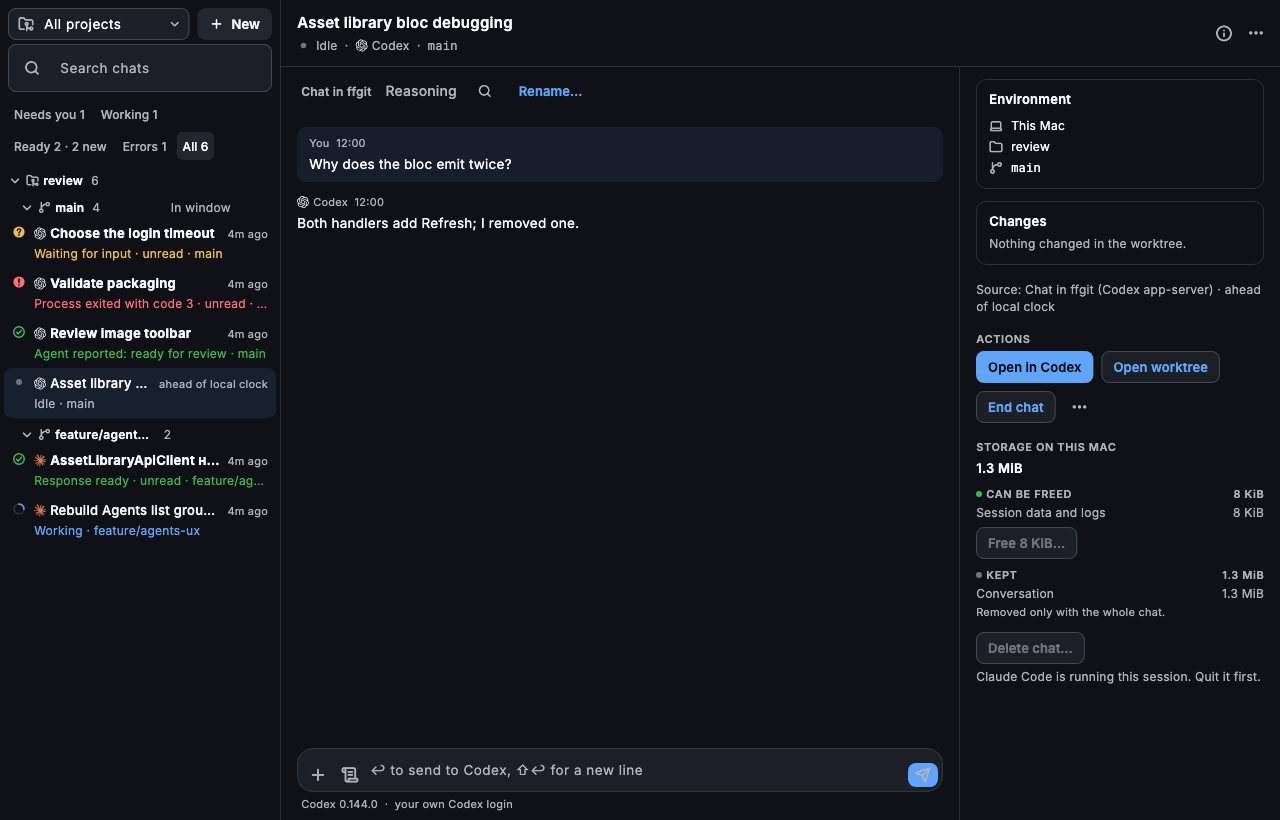
Agents run in a terminal in Chat, where you answer them, search the scrollback and resume later.
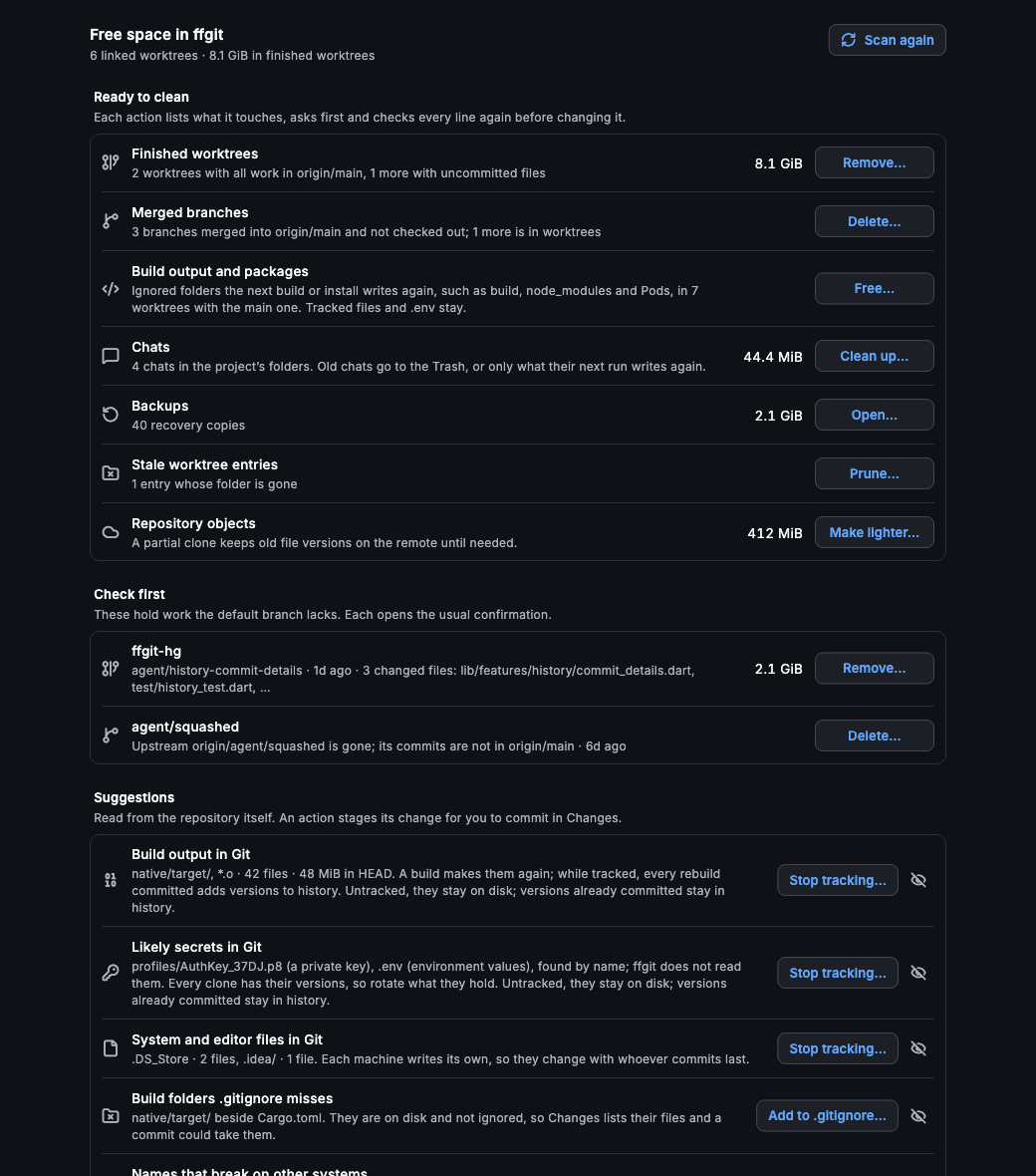
See the disk a conversation uses and free what its next run would write again.
Commit
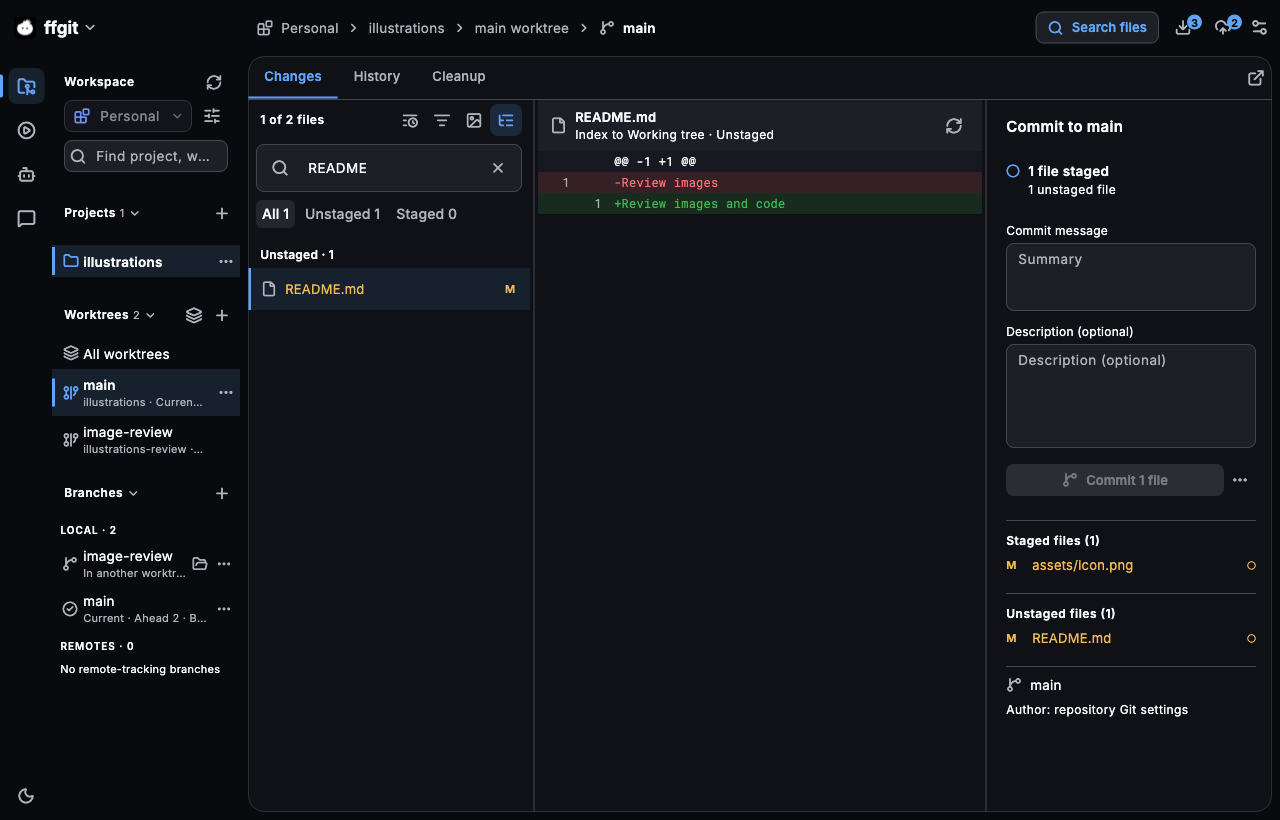
Stage files, hunks or single lines, keep typing while Git catches up, and get a clear warning before a secret or build output slips into history.
Features
From the commit graph to the last recovery copy, ffgit keeps the whole Git loop in one window.
A topological graph across branches, tags and remotes, with filtering, merge edges and badges for other worktrees.
GitHub and GitLab reviews in the app: diffs and images, inline drafts, replies, approve or request changes, and a confirmed merge.
Discover, create and open worktrees with their submodules. Switching keeps your tab, filters and commit drafts.
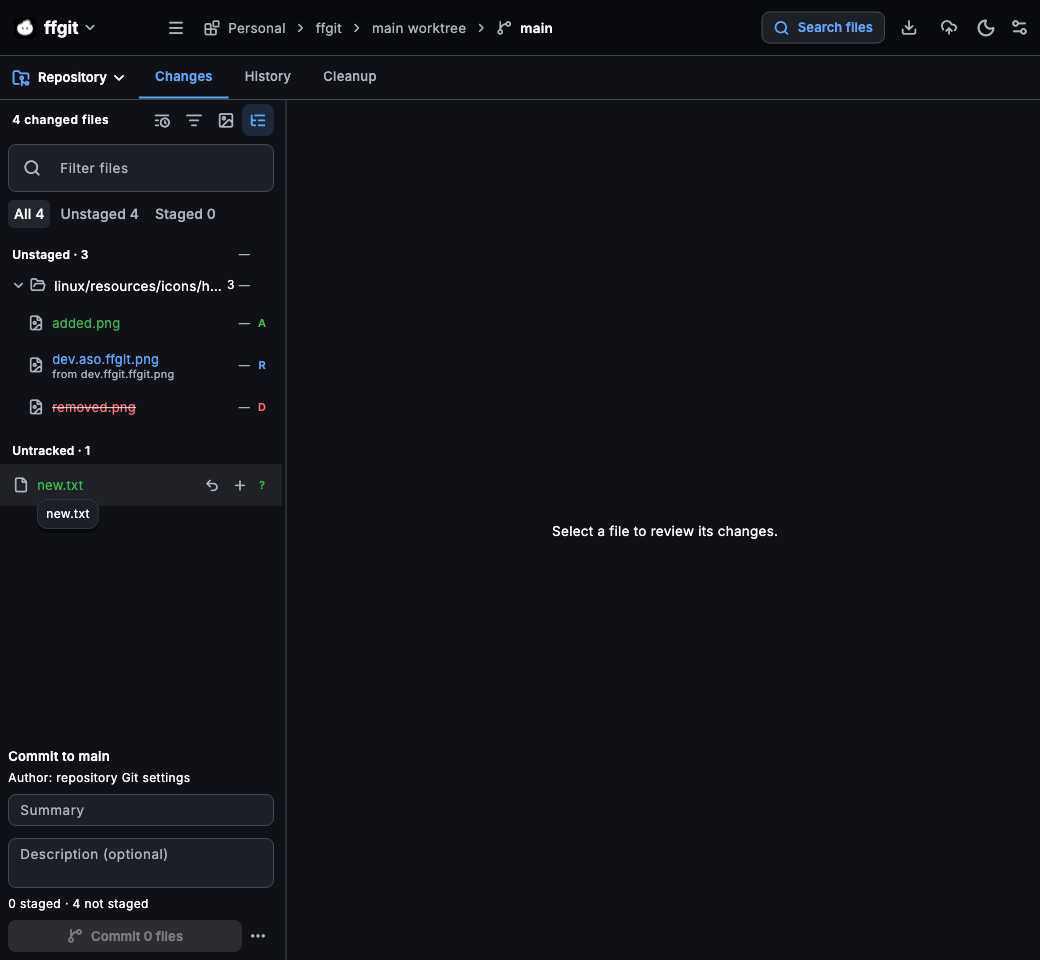
Staged, unstaged, untracked and conflicted files in a tree, with renames and a commit composer at hand.
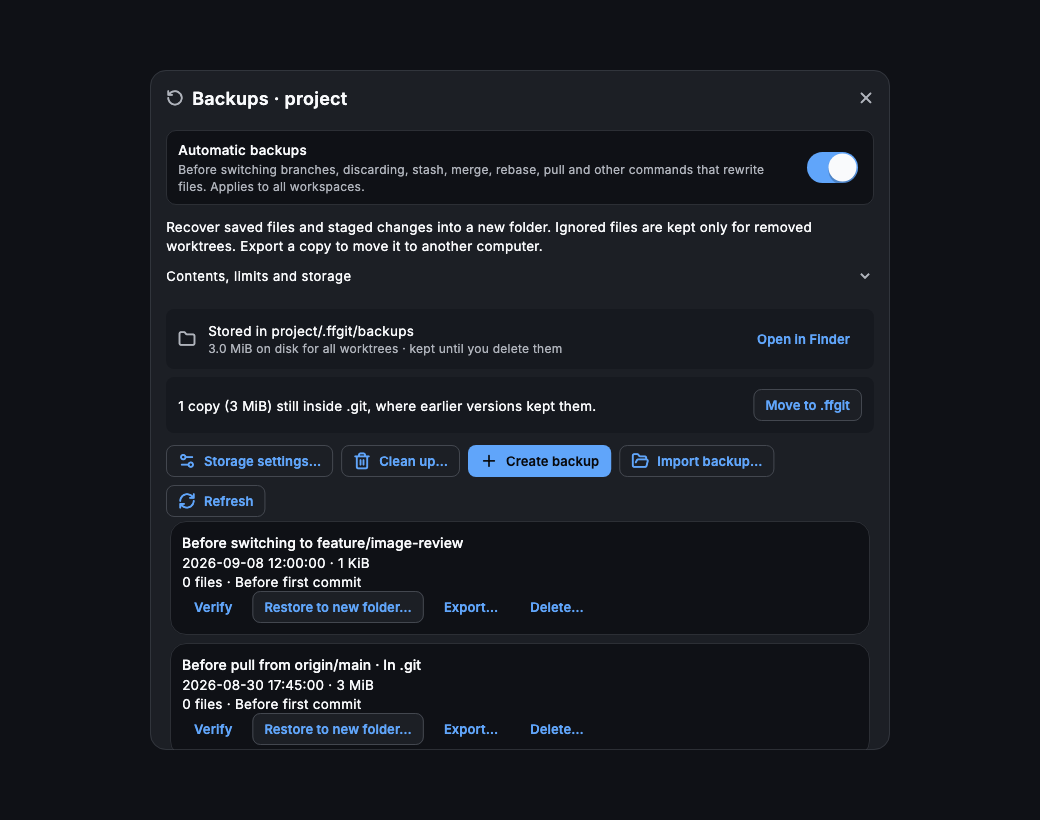
Automatic backups before commands that rewrite files. Verify, export or restore one into a new folder.
Personal, Work, Open source: shared projects, author profiles and commit signing chosen per workspace.
Point ffgit at ~/code and tick the repositories it finds, grouped by folder with remote, branch and last change.
Discard, delete, abort or remove ask first, with a button named for the action instead of a generic OK.
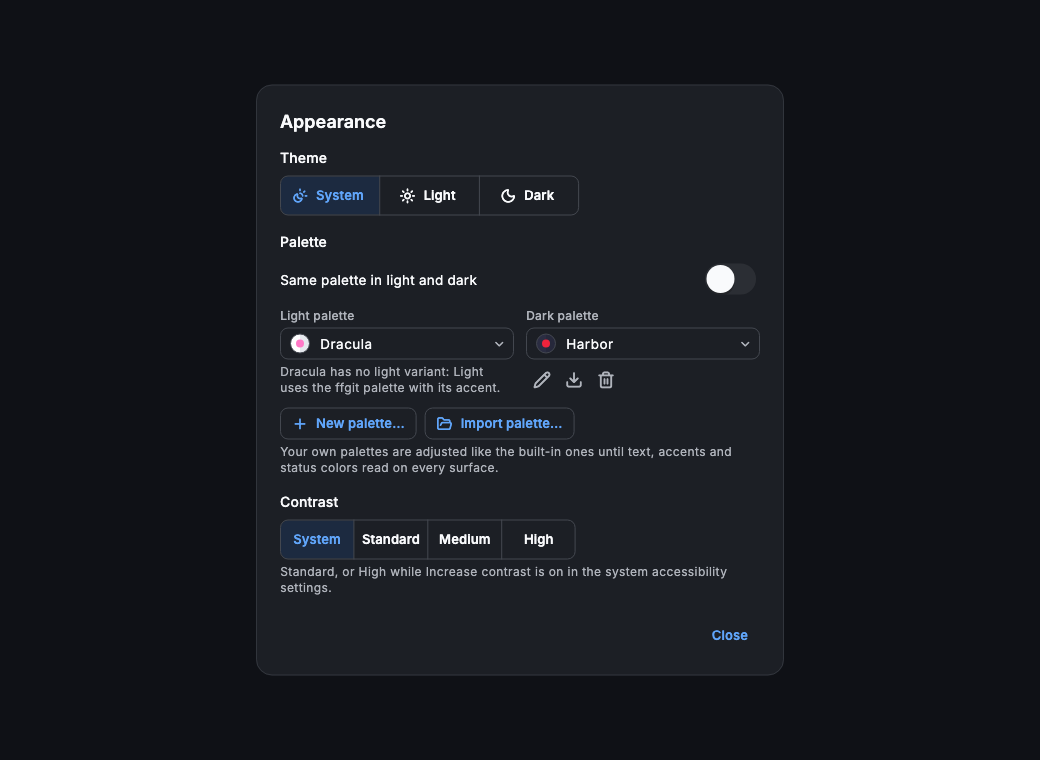
System, light or dark with built-in or imported palettes, and contrast that follows the system setting.
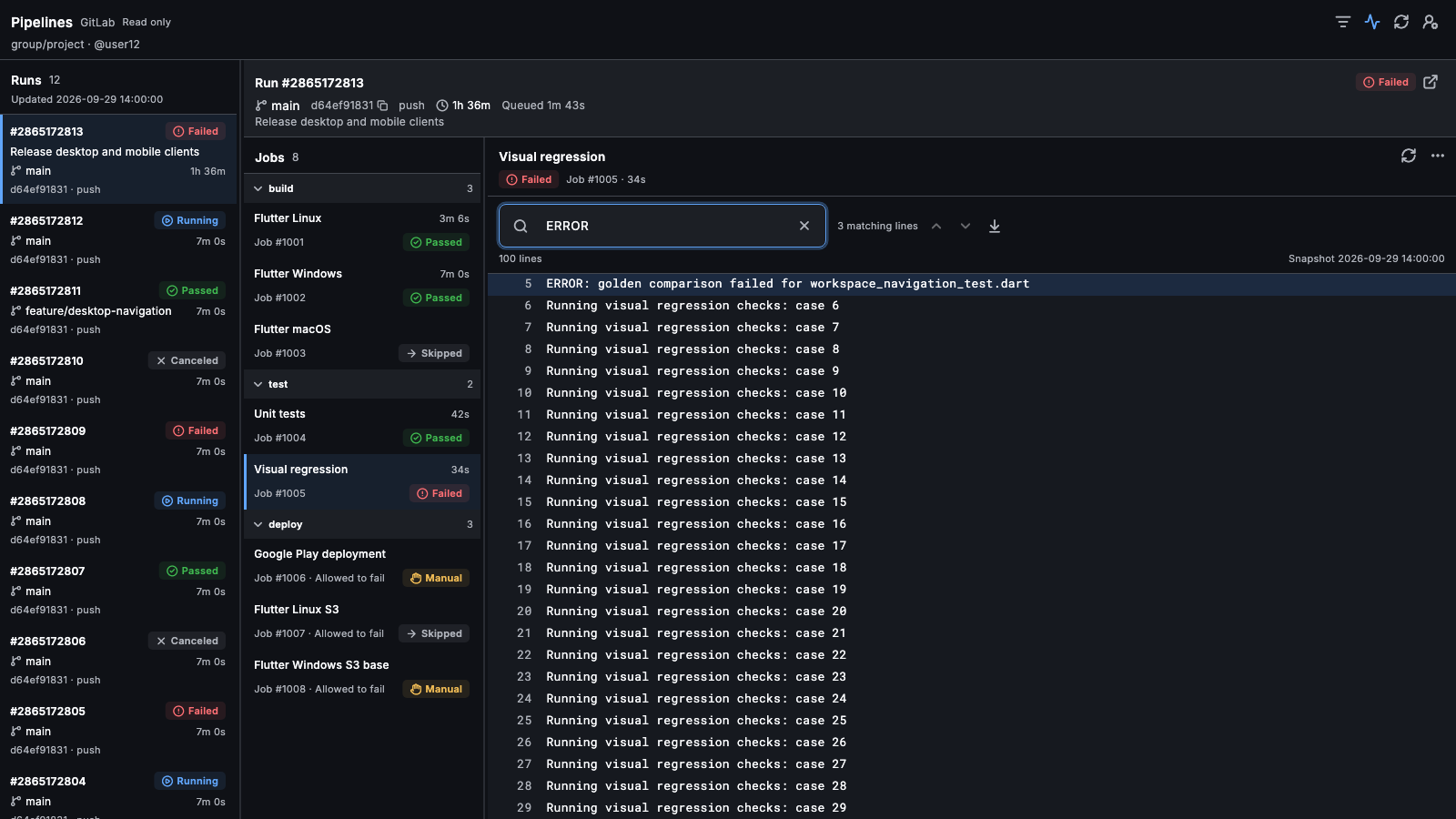
Most Git clients stop at the text diff. ffgit treats images, CI output and agent work as changes worth reviewing.
| Capability | ffgit | Typical Git GUI |
|---|---|---|
| Line and hunk staging | ✓ | Usually |
| Image diff with swipe, overlay, pixel diff and blink | ✓ | Limited |
| Linked worktrees with their own drafts and state | ✓ | Sometimes |
| GitHub and GitLab reviews in the app | ✓ | Sometimes |
| CI logs, artifacts and golden-test failures | ✓ | — |
| Claude Code and Codex sessions with live status | ✓ | — |
| MCP server for coding agents | ✓ | — |
| Warnings for secrets and build output before a commit | ✓ | Rarely |
| Recovery copy before commands that rewrite files | ✓ | Rarely |
| Disk cleanup for worktrees, build output and chats | ✓ | — |
MCP
ffgit ships an MCP server, so Claude Code, Codex and other clients use the same Git core you review with — and ask you before they change anything.
Read tools. Status, branches, history and commit search, diffs, blame, line history, grep, conflicts and recovery copies.
Changes you approve. Agents can ask to stage, commit, branch, stash or resolve a conflict; the app carries it out with a recovery copy.
Only the folders you allow. The server reads repositories under --allow and never writes itself. No push, pull, discard or branch removal.
Main menu → Coding agents (MCP)… shows these commands with copy buttons.
Pricing
Free for personal use and small companies. Founders get 50% off paid licenses.
$0USD
For personal use and companies with up to 3 developers.
Standard price: $50 USD
$25USD
/ seat / year
A yearly subscription for each person using ffgit.
Standard price: $150 USD
$75USD
/ seat · one-time
Pay once for lifetime access to ffgit.
All prices in USD. Free for personal use and companies with up to 3 developers. In companies with 4 or more developers, every person using ffgit needs a paid seat, including the first three. Agents and repositories do not count as seats.
Founders keep 50% off the current public price for their original seats, including future annual subscription renewals. Lifetime includes all future updates at no extra cost. Additional seats are priced at the standard rate.
License purchases are coming soon. Download the beta today.
Download the betaYes. ffgit is currently in beta: features are evolving and bugs are possible. The macOS beta is available to download; Windows and Linux builds are still in testing. License purchases are coming soon.
Personal use and companies with up to 3 developers are free. In companies with 4 or more developers, every person using ffgit needs a paid seat, including the first three. Agents, windows and repositories are not seats.
Founders keep 50% off the current public price for their original seats, including future annual subscription renewals. Lifetime includes all future updates at no extra cost. Additional seats are priced at the standard rate.
A desktop Git client for reviewing real code and image changes across repositories and worktrees. It also runs Claude Code and Codex in their own worktrees and shows you what they changed before you commit it.
macOS 12 or later, on Apple Silicon and Intel. The DMG is signed and notarized by Apple. Windows and Linux builds are in testing and are not a public release yet.
ffgit checks for updates itself with Sparkle, and ffgit → Check for Updates… does it on demand. When a build is too old to keep working, the app asks you to update before you continue.
No. Git runs through the git installed on your Mac, and provider tokens are stored locally in an encrypted file. ffgit talks to GitHub or GitLab only when you act on them, checks for updates, and release builds send crash reports to ASO.dev's own Sentry.
No, it uses it. Every operation runs through your installed git, so hooks, signing, filters and your config apply as usual. ffgit never deletes a locked index.lock; it waits and retries.
Claude Code and Codex, started from ffgit with the CLI and login you already have. Any MCP client can read repositories through ffgit-mcp.
Before switching branches, discarding, stashing, merging, rebasing, pulling and other commands that rewrite files, ffgit saves a recovery copy you can verify, export or restore into a new folder.
The team behind ASO.dev. ffgit is built and distributed on the same infrastructure as the ASO.dev desktop app.
Install ffgit, open the repositories you already have, and review code, images and agent work in one place.
Beta · v0.1.0 (92) · Oct 25, 2026macOS 12+ · Apple Silicon & Intel
Signed & notarized by AppleWindows and Linux are in testing